
Instructions to use fal/Realism-Detailer-Kontext-Dev-LoRA with libraries, inference providers, notebooks, and local apps. Follow these links to get started.
- Libraries
- Diffusers
How to use fal/Realism-Detailer-Kontext-Dev-LoRA with Diffusers:
pip install -U diffusers transformers accelerate
import torch from diffusers import DiffusionPipeline from diffusers.utils import load_image # switch to "mps" for apple devices pipe = DiffusionPipeline.from_pretrained("black-forest-labs/FLUX.1-Kontext-dev", dtype=torch.bfloat16, device_map="cuda") pipe.load_lora_weights("fal/Realism-Detailer-Kontext-Dev-LoRA") prompt = "Add details to this face, improve skin details" input_image = load_image("https://huggingface.co/datasets/huggingface/documentation-images/resolve/main/diffusers/cat.png") image = pipe(image=input_image, prompt=prompt).images[0] - Inference
- Notebooks
- Google Colab
- Kaggle
- Local Apps Settings
- Draw Things
Suggested Settings
#1
by Xanthius - opened
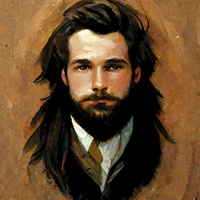
This lora seems to work very well from my testing; however, I need to keep the weight low. At a value of 1 the entire image gets distorted weirdly.
A value of 0.3 is enough to add subtle details and 0.6 does heavier retexturing but 0.75 or higher seems to be too high.
My suggestion: 0.2 to 0.65 seems to be a good range
It really depends on the image as well.