

AI Laptops
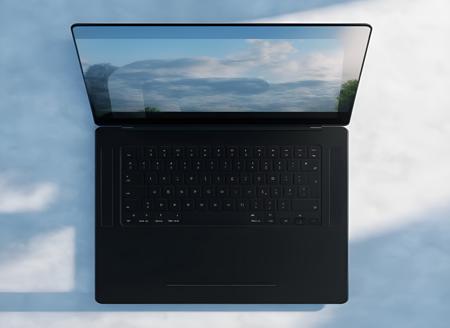
- Prompt
Model description
This is a LoRA specialized in generating highly detailed and true to life images of AI "Copilot+ PCs" Laptops, it was trained on a collection of manually collected High resolution renders and shots of Laptops from various brands, and paired with manual description to ensure maximum quality and results, if you liked this LoRA, please don't hesitate to drop a donation to support My Work!
Download model
Weights for this model are available in Safetensors format.
Download them in the Files & versions tab.
Use it with the 🧨 diffusers library
from diffusers import AutoPipelineForText2Image
import torch

pipeline = AutoPipelineForText2Image.from_pretrained('stabilityai/stable-diffusion-xl-base-1.0', torch_dtype=torch.float16).to('cuda')
pipeline.load_lora_weights('Tech-Meld/ai-laptops', weight_name='AI_Laptops_2-10.safetensors')
image = pipeline('Your custom prompt').images[0]
For more details, including weighting, merging and fusing LoRAs, check the documentation on loading LoRAs in diffusers
- Downloads last month
- 31
Model tree for Tech-Meld/ai-laptops
Base model
stabilityai/stable-diffusion-xl-base-1.0